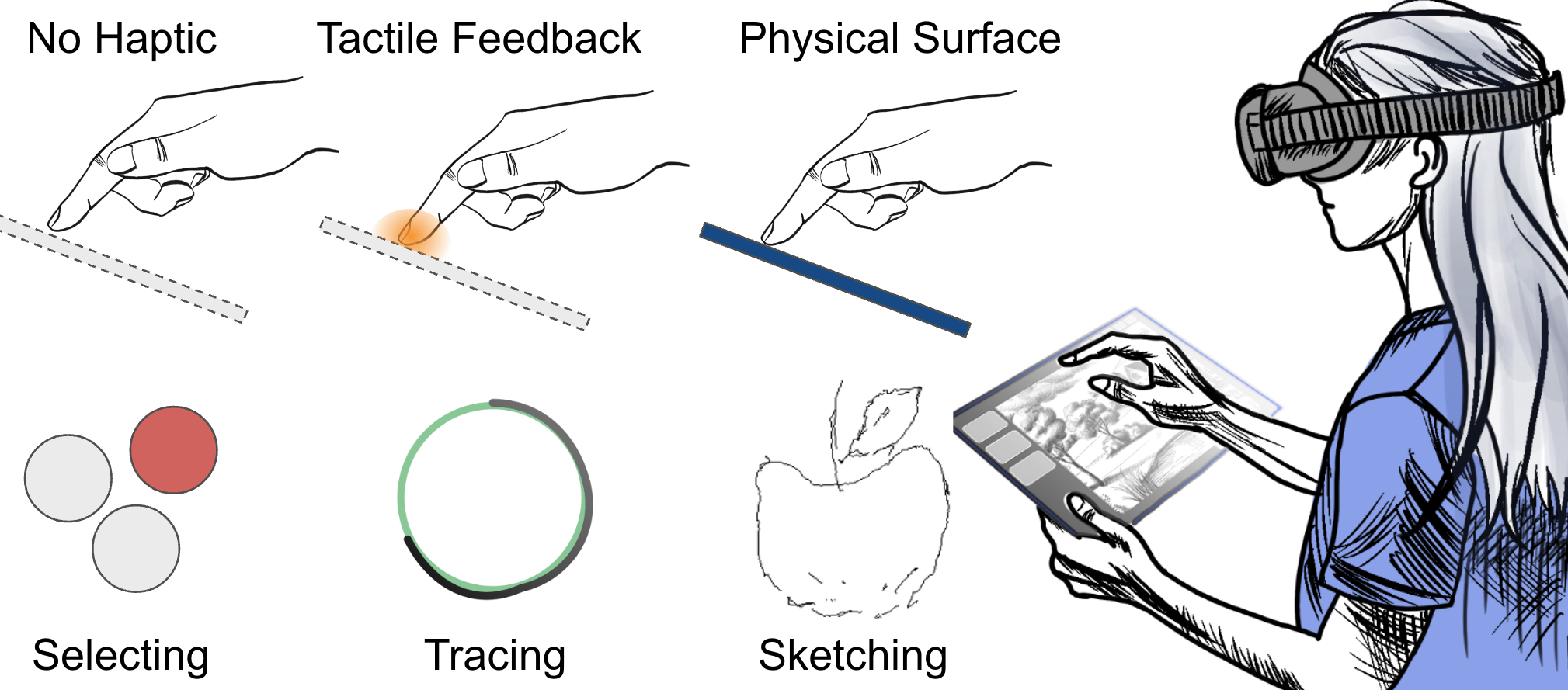
We compare visual-only input, tactile feedback, and a portable physical surface for precise touch tasks in VR.
Abstract
Virtual reality systems can enable convenient hand-based interactions across diverse work scenarios. However, mid-air gestures lack tactile feedback and a physical reference surface to support the hand, which can make precise and efficient touch interaction difficult.
This paper investigates how hand-grounded haptic feedback affects VR tasks that demand high precision, including selecting, tracing, and sketching. We compare three feedback levels: no haptic feedback, tactile feedback through vibrotactile and pressure cues, and interaction with a portable physical surface.
Portable physical surfaces enabled the best selection precision, tracing efficiency, and sketch quality. Participants also used both hands more actively when engaging with a physical surface, matching their preference for the added confidence and control.
Video
System Overview
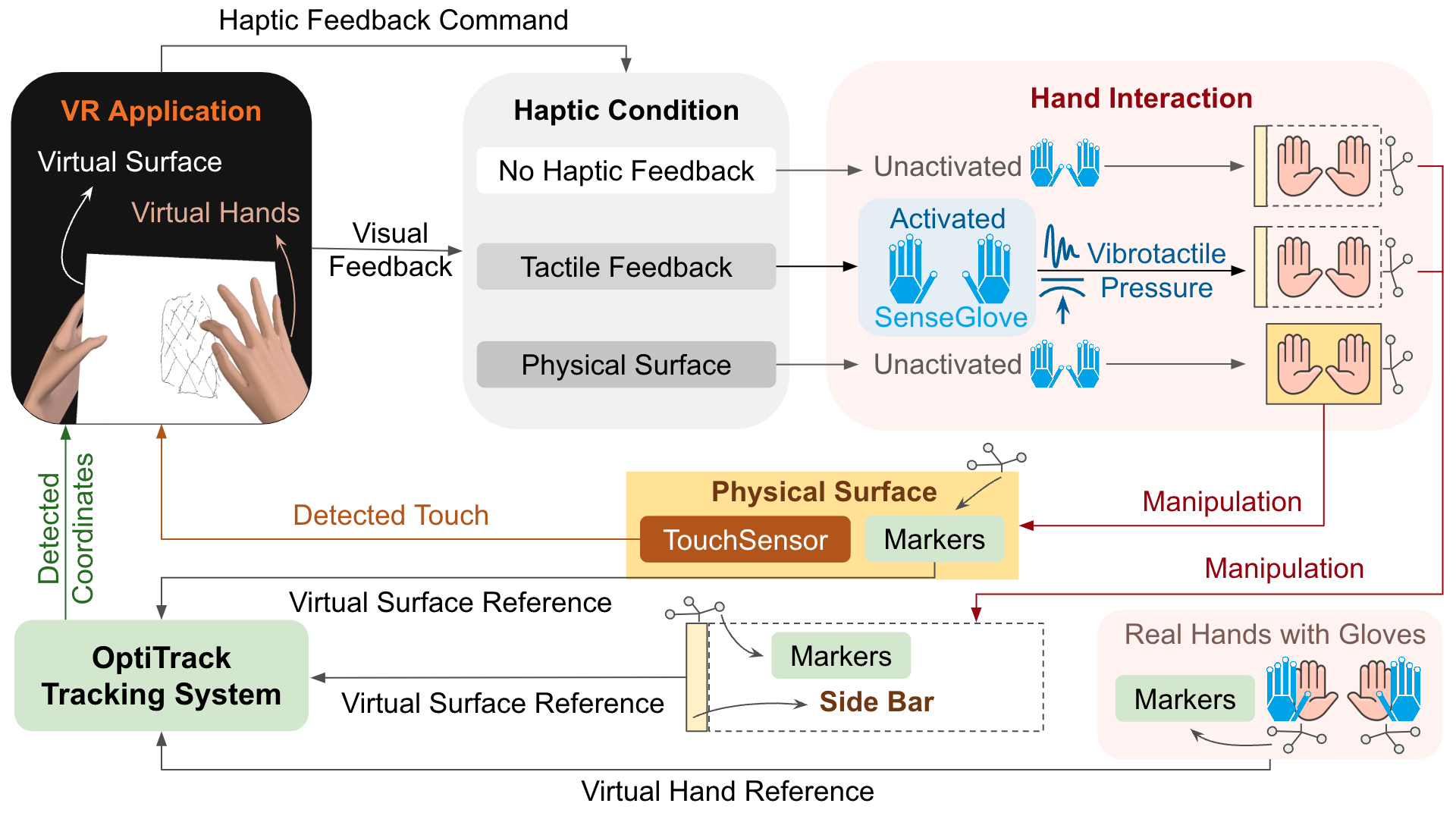
The system tracks the hand, handheld surface, and touch dynamics to render precise touch input in VR.
Study Overview
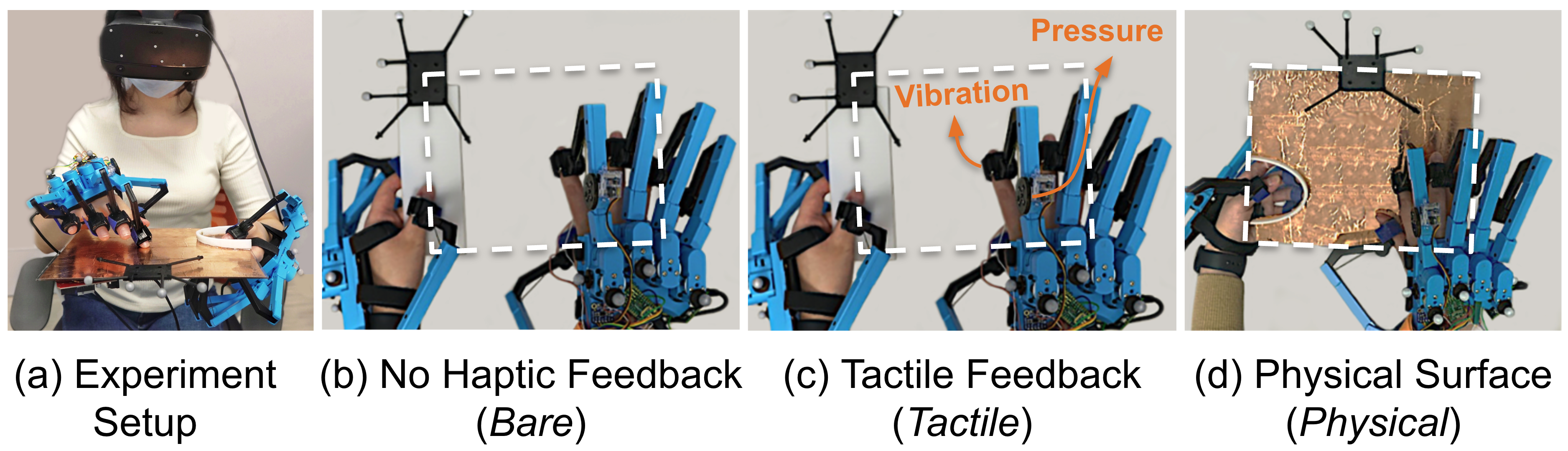
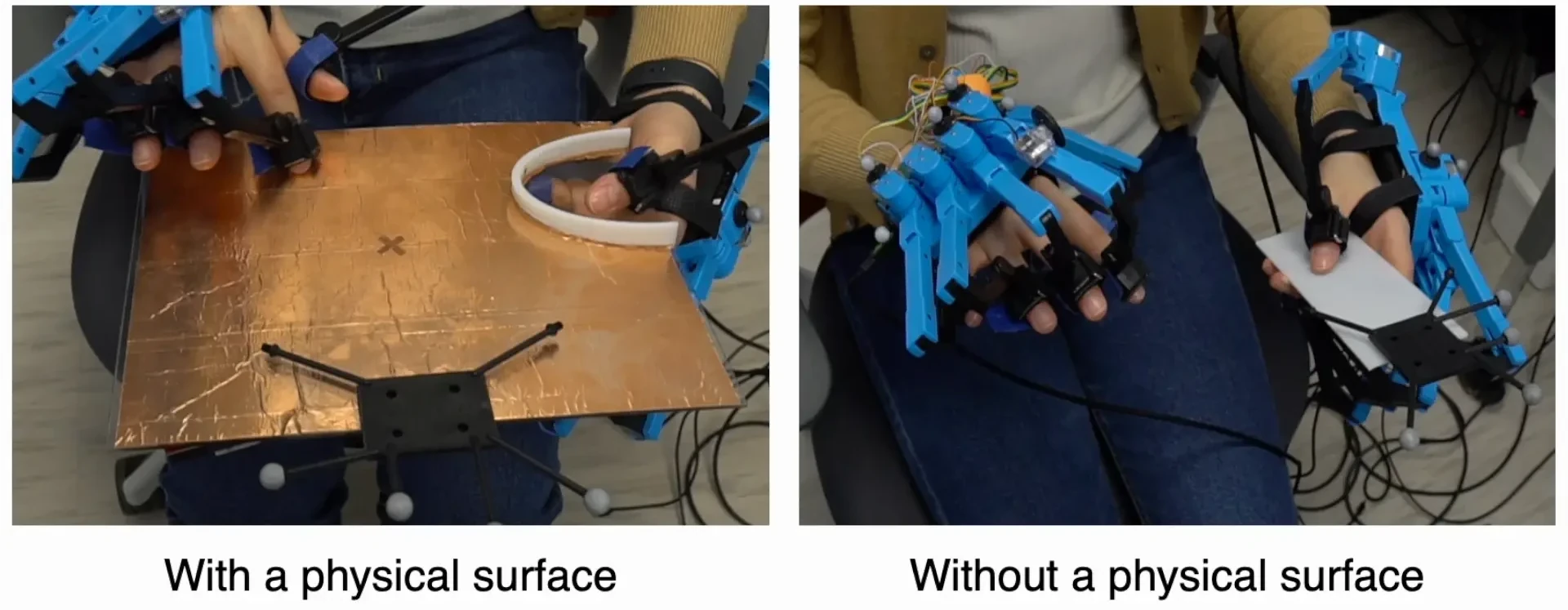
Experimental setup and three haptic feedback conditions: no haptic feedback, tactile feedback, and physical surface.
We studied three haptic feedback conditions for touch interaction on a virtual surface:
- Bare: visual feedback only, with no haptic feedback.
- Tactile: vibrotactile and pressure feedback when touching a virtual surface.
- Physical: a 255 x 205 mm handheld acrylic surface with capacitive touch sensing.
Twelve participants completed selecting, tracing, and sketching tasks while wearing an Oculus Rift S and SenseGlove DK1 devices. OptiTrack tracked the hands, surface, and touch dynamics.
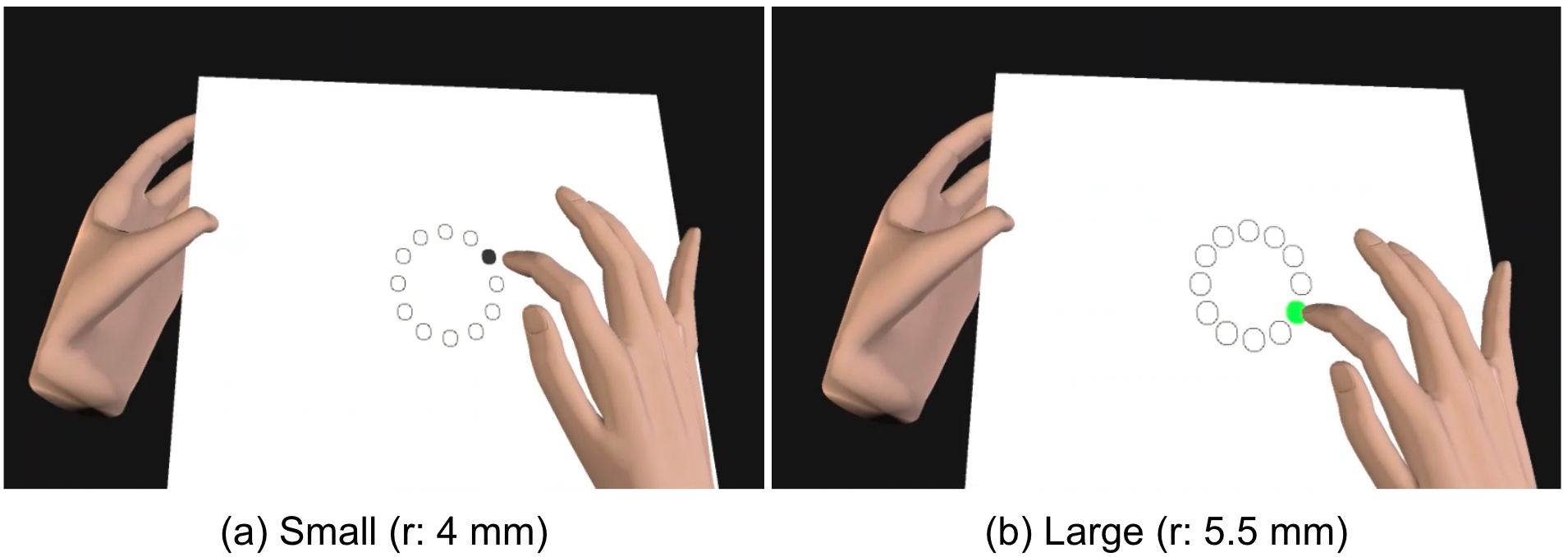
Selecting
Fitts' law tasks with small and large targets tested precise discrete touch input.
Tracing
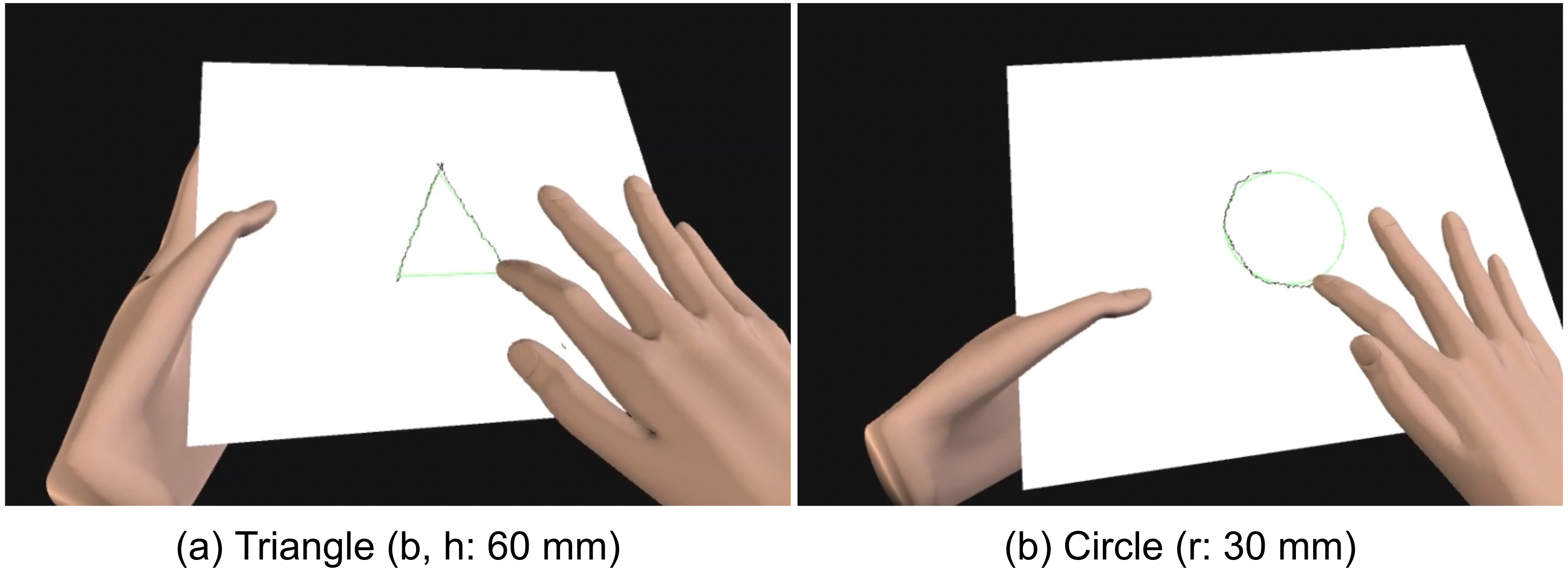
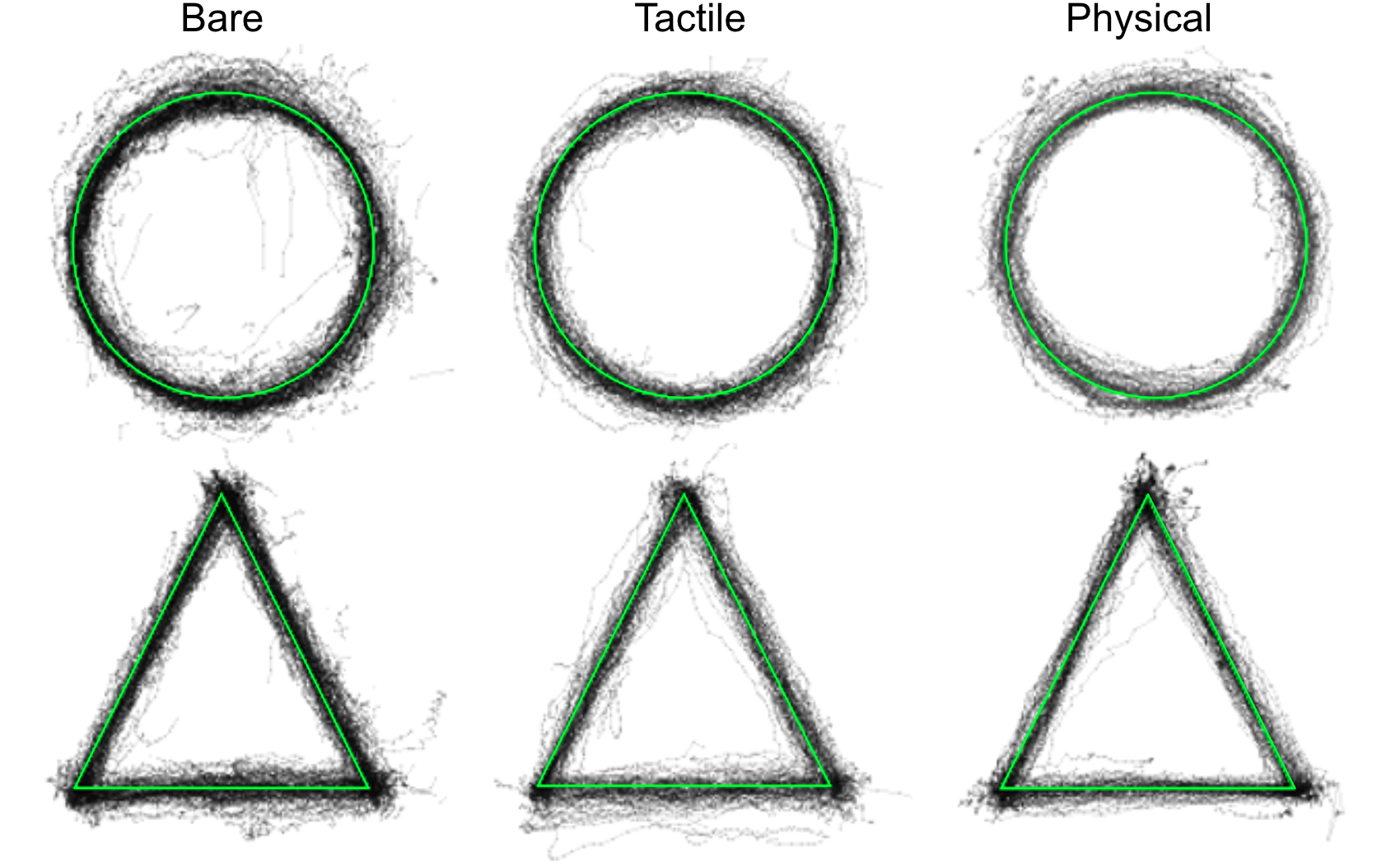
Triangle and circle tracing tested continuous touch control and stroke quality.
Sketching
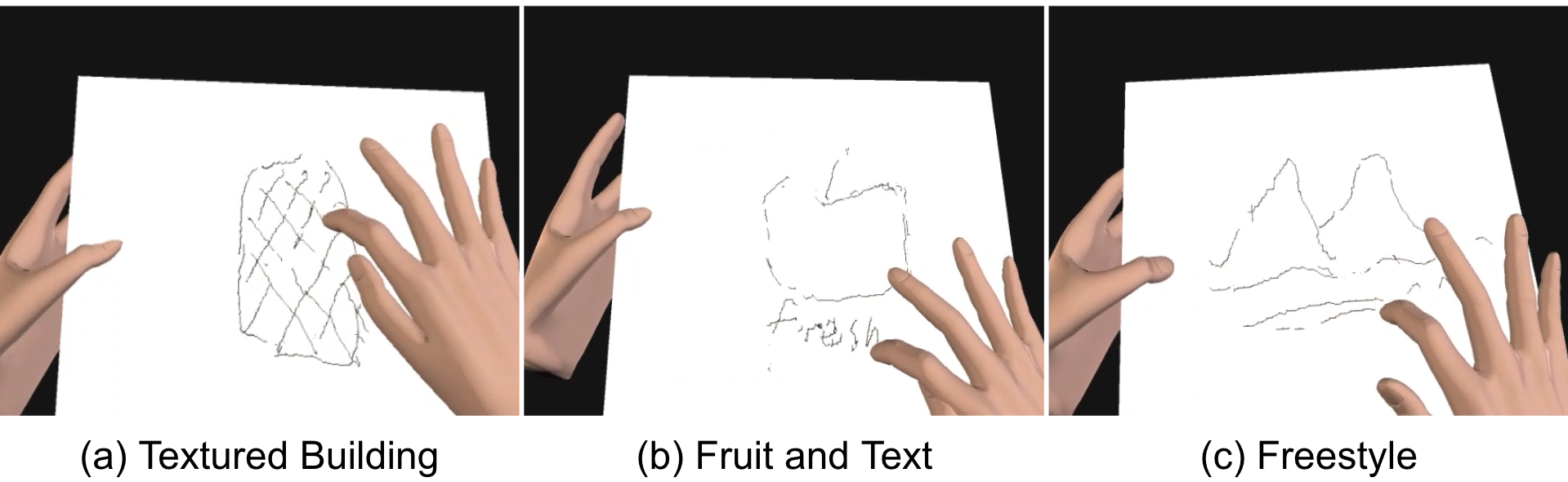
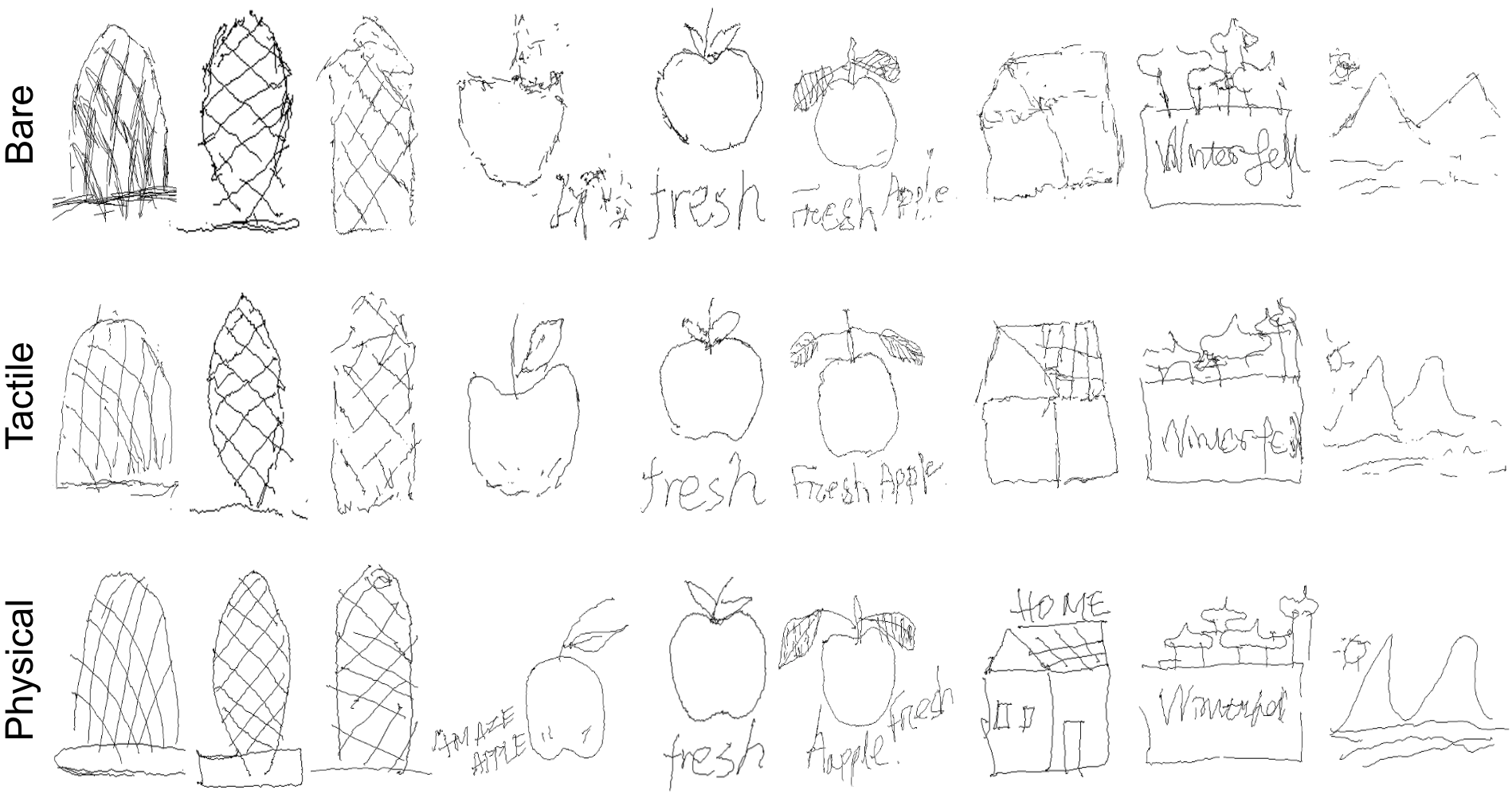
Building, fruit, and freestyle sketches tested more complex creative input.
Result Highlights
Selection
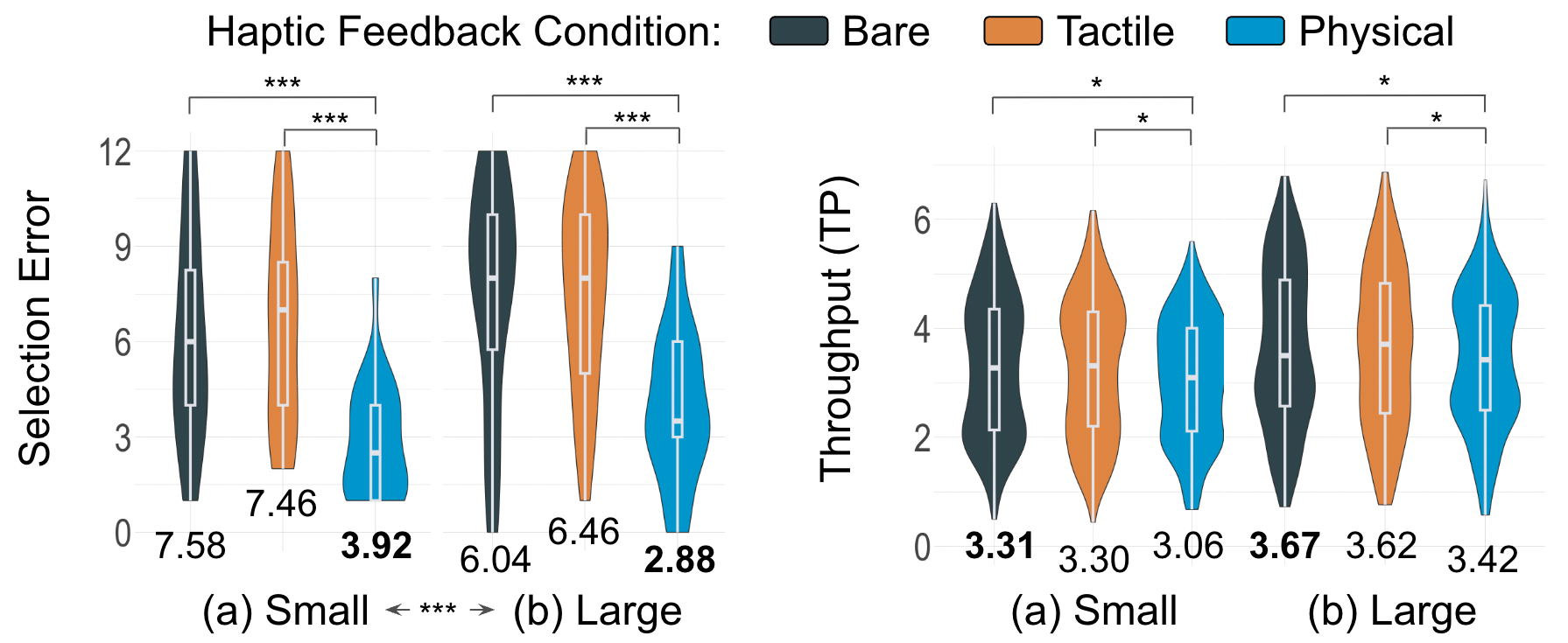
Physical surfaces improved selection accuracy by 51.2% compared with tactile feedback, reducing selection errors by about half while maintaining comparable throughput.
Tracing
Compared with tactile feedback, physical surfaces improved tracing precision by 20.3%, continuity by 86.8%, and speed by 18.3%.
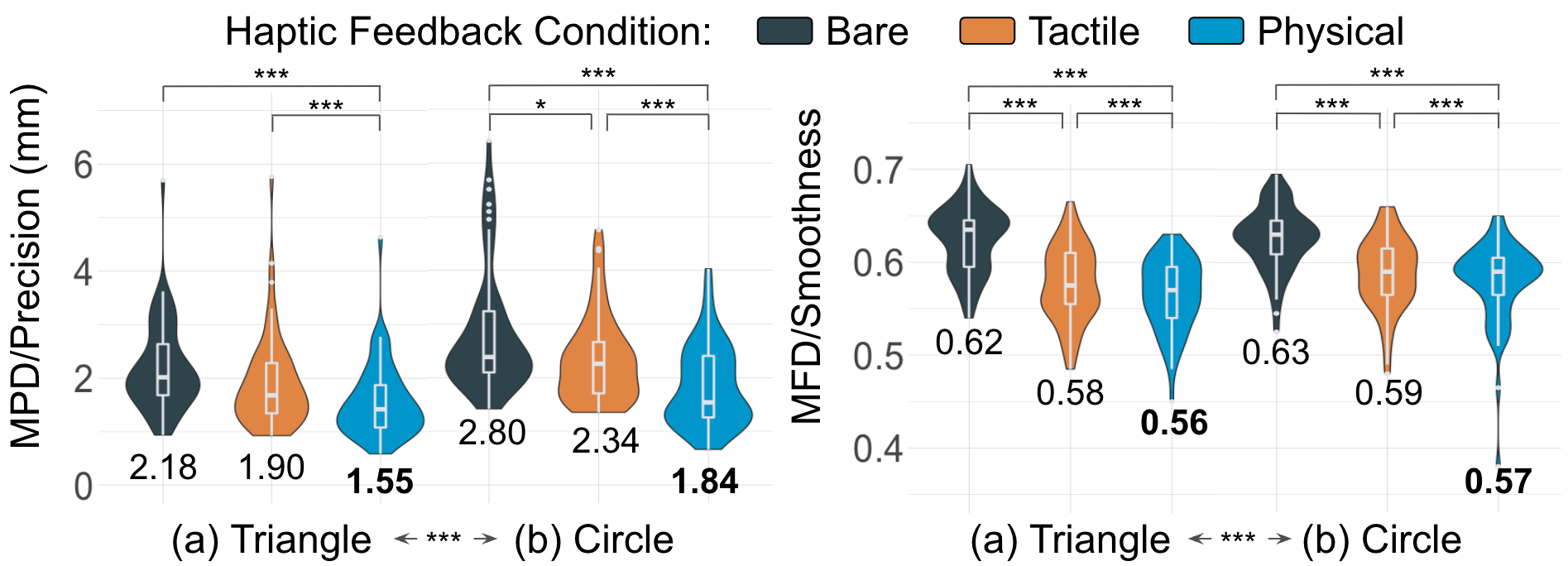
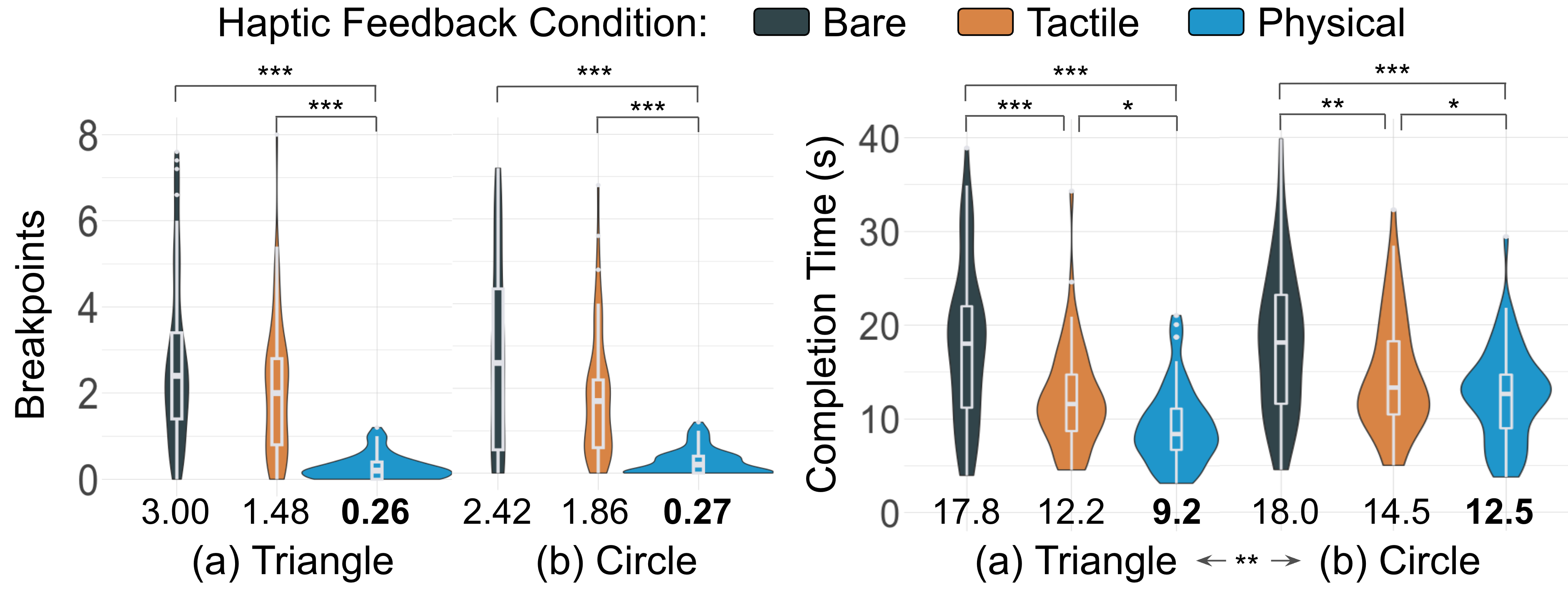
These benefits were strongest for continuous tasks, where the surface helped users maintain stable contact while moving along the virtual surface.
Sketching
Physical surfaces also improved sketch smoothness by 21.6%, stroke continuity by 21.2%, and sketch clarity by 17.5% compared with tactile feedback. External reviewers ranked physical-surface sketches best overall 90% of the time.
Bimanual Interaction
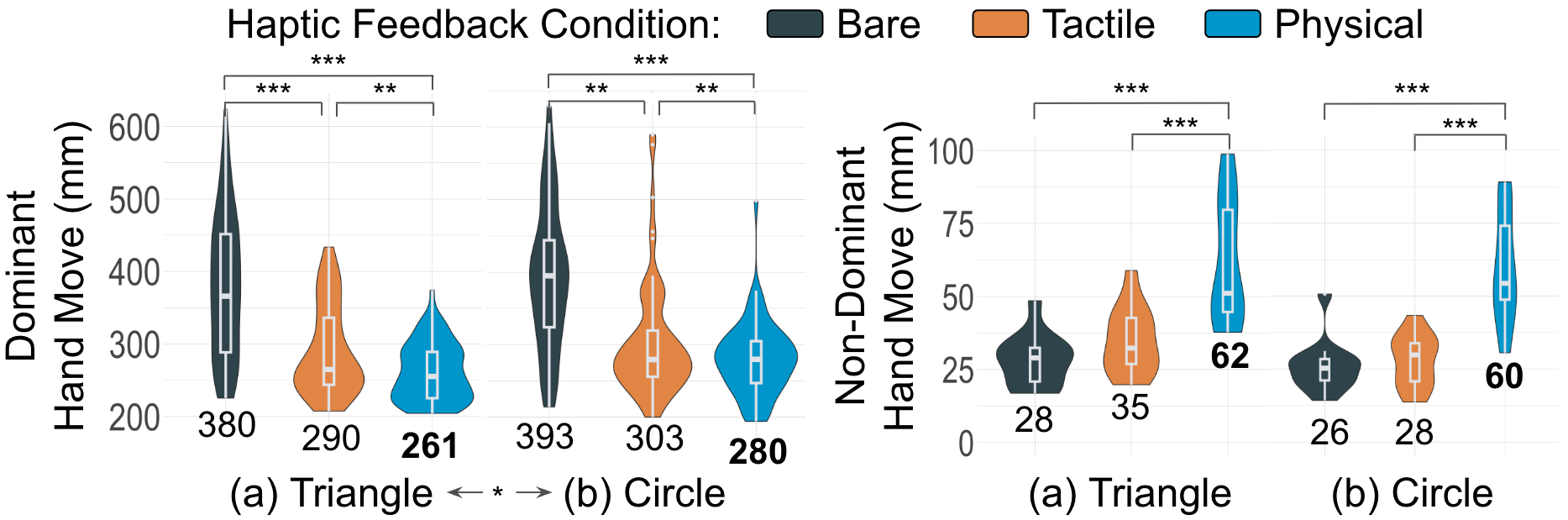
To understand why physical surfaces brought these performance benefits, we looked at how participants used their hands.
They hovered the dominant finger farther from the surface before contact and moved the dominant hand less during continuous tasks.
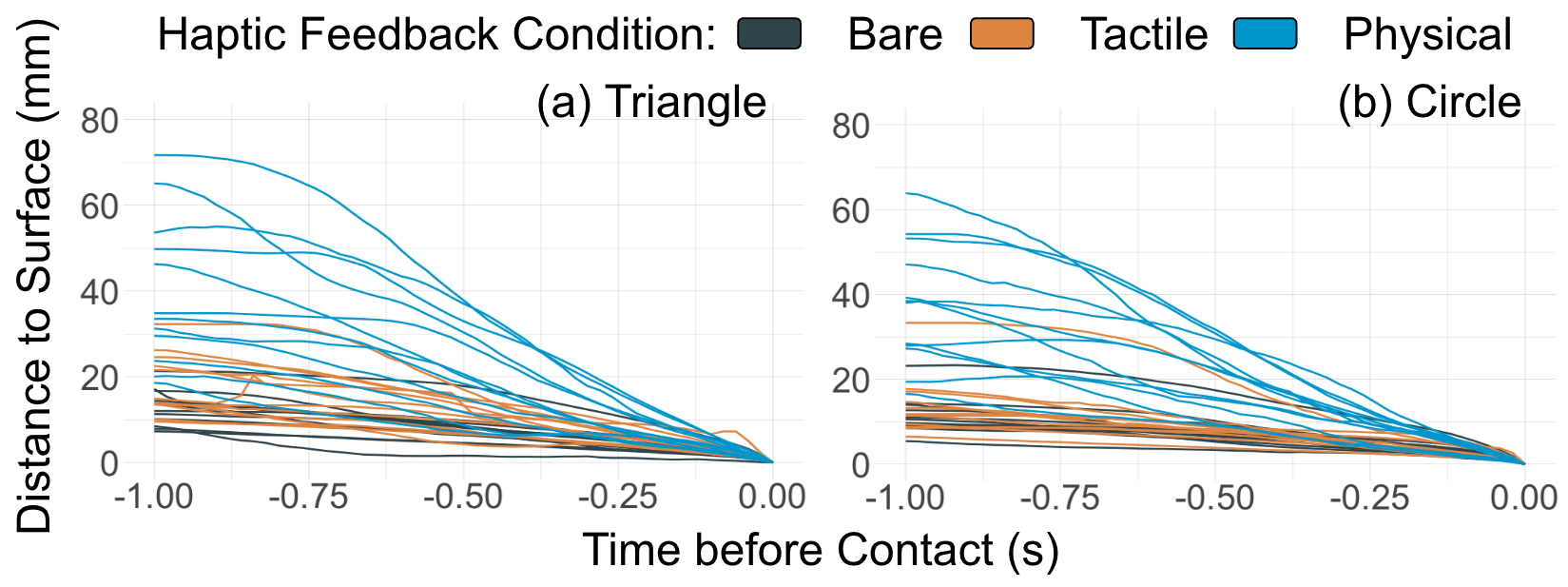
This suggests that a tangible surface can help both hands share the workload, giving users a more familiar reference frame for precise VR input.
They moved the non-dominant hand more to hold and adjust the surface.
Takeaways
- Physical surfaces improve selection, tracing, and sketching precision in VR.
- Complex tasks such as tracing and sketching benefit most from physical surfaces.
- Bimanual coordination improves with physical surfaces, easing dominant hand effort.
- Participants preferred physical surfaces for control, precision, and realism.
Citation
BibTeX@article{YING2026103850,
title = {Physical surfaces make touch interactions in virtual reality precise, efficient, and bimanual},
journal = {International Journal of Human-Computer Studies},
volume = {215},
pages = {103850},
year = {2026},
issn = {1071-5819},
doi = {https://doi.org/10.1016/j.ijhcs.2026.103850},
url = {https://www.sciencedirect.com/science/article/pii/S1071581926001254},
author = {Wen Ying and Seongkook Heo},
keywords = {Touch interaction, Portable physical surfaces, Haptic feedback, Virtual reality}
}